The BodyLens Guide
A closer look at how each part of the app actually works — not just a feature list, but what it looks like and why it's there.
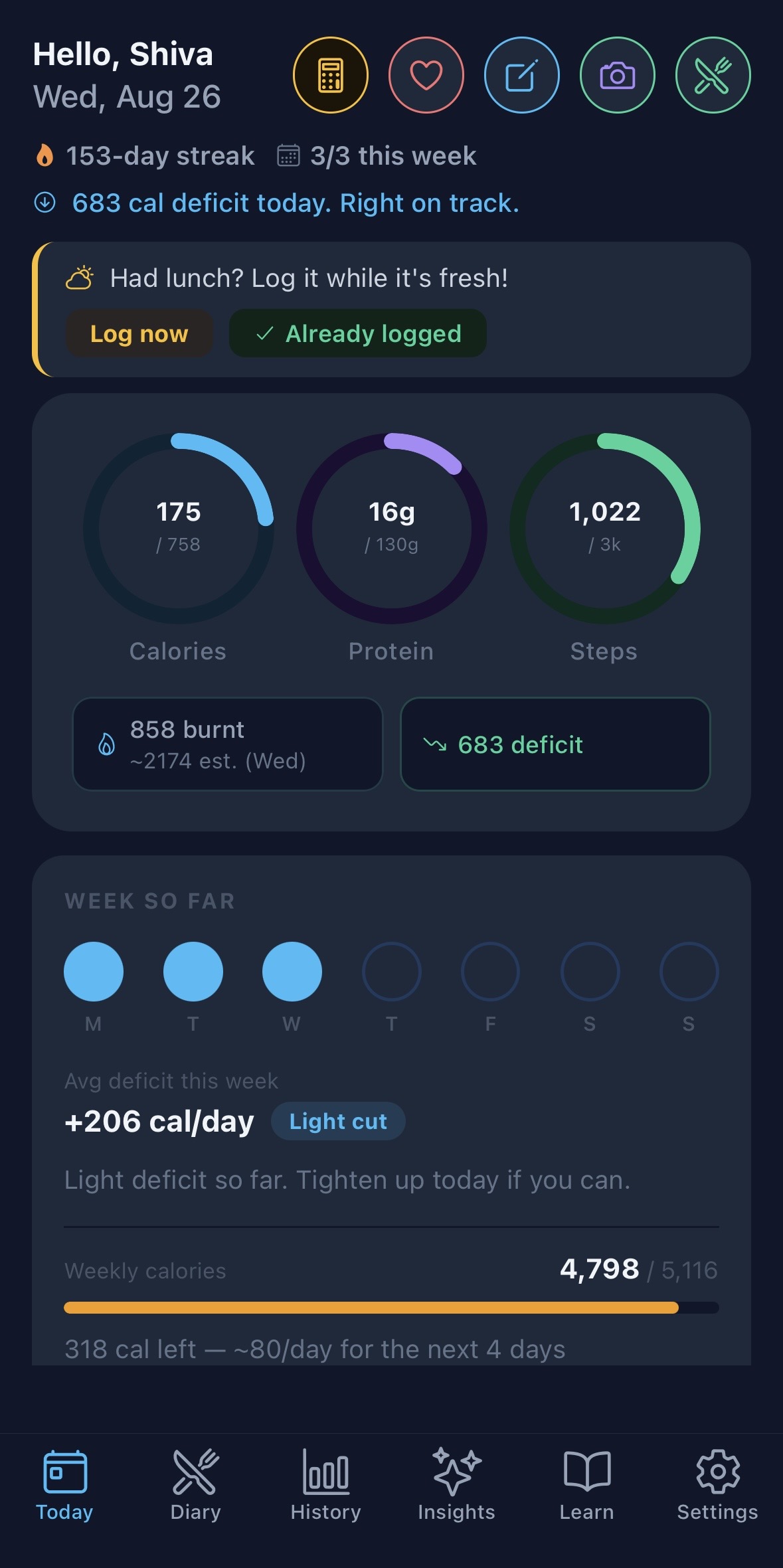
Your day at a glance
The Today tab is built around three rings — calories consumed, protein, and steps — each measured against your daily target. If you haven't set a target yet, the rings use sensible defaults so they're never just empty.
Your calorie deficit or surplus updates in real time as you log food, with no manual math. And even before anything syncs from a wearable, BodyLens estimates your baseline calorie burn (BMR) from your profile, so the number is never stuck at zero for a whole day.
Five quick-action icons sit in the top right: Estimate Burn, Health Sync, Manual Log (weight, steps, sleep, activities), AI Food Scan, and a shortcut to your Diary.
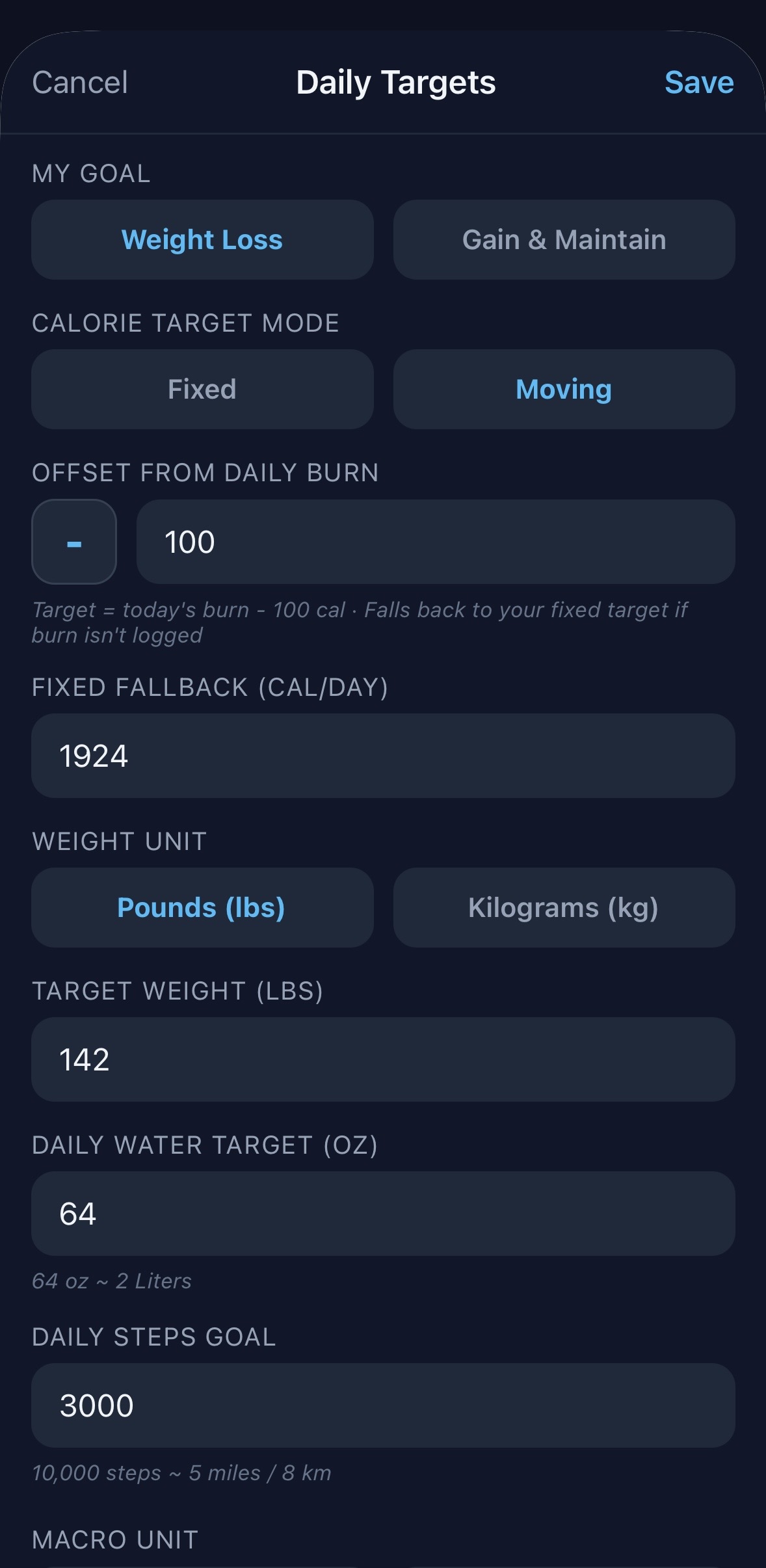
Targets that fit how you actually eat
Set a Fixed daily calorie target for a static number every day, or a Moving target tied to your actual burn — for example, "Burn − 300" gives you a consistent deficit whether today was a rest day or a hard workout. Moving targets fall back to your fixed number on days burn isn't logged, so the ring is never left blank.
Not sure where to start? Find My Targets calculates a recommended calorie and protein goal from your current weight, goal weight, and timeline — no guesswork required.
Calorie Banking, if enabled, carries unused calories from a light day into the next, so one lower-calorie day builds a little runway instead of just disappearing.
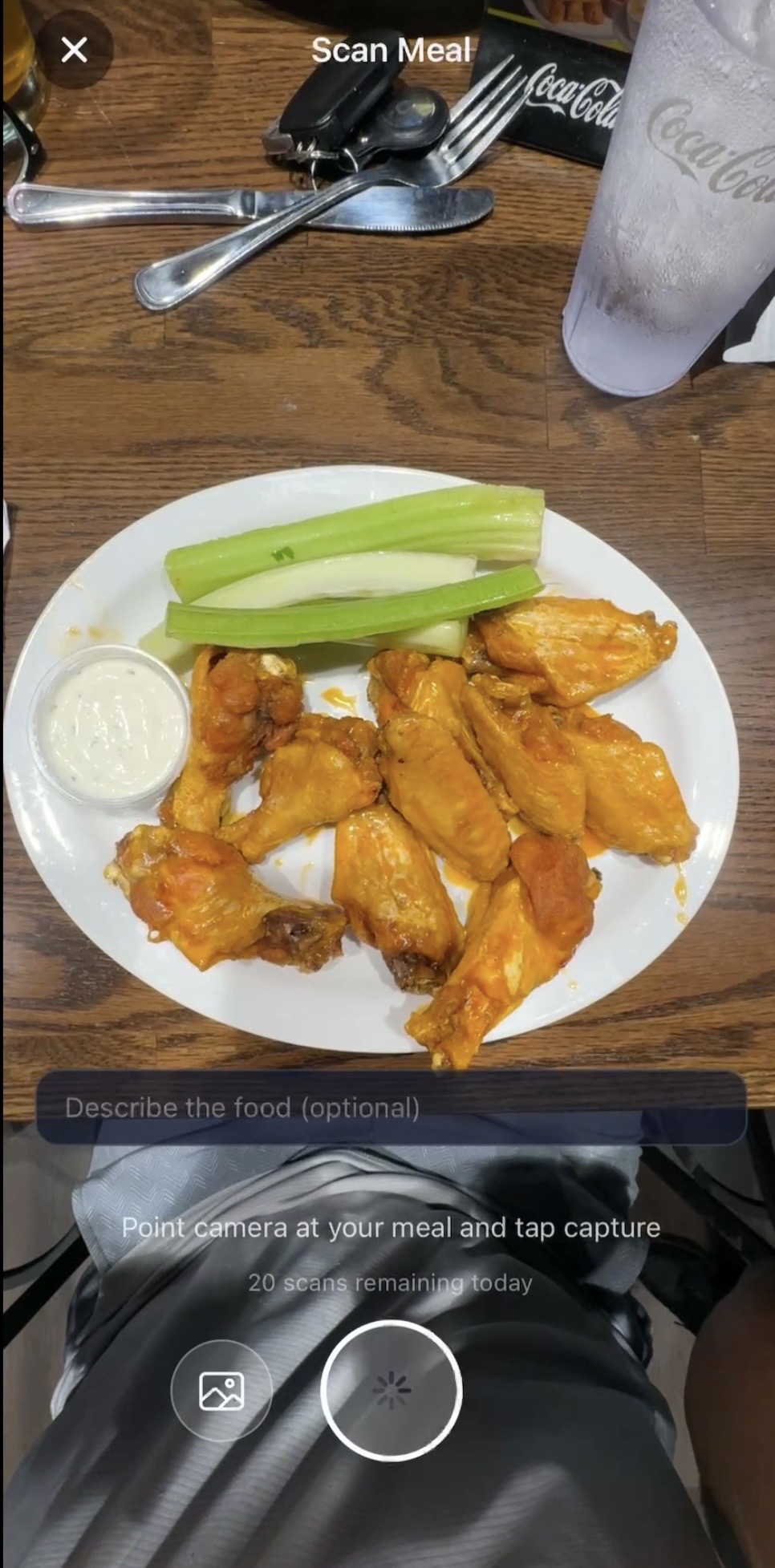
Four ways to log food
Search your personal or global food database, scan a barcode for instant nutrition facts, point the camera at your plate for AI food identification, or just talk — say "I had chicken and rice for lunch" and it's logged.
AI scan results are fully editable before you save them: rename anything the AI got wrong, uncheck items you don't want, and adjust each portion's serving multiplier — nothing gets logged until you confirm it.
Every food shows a small color-coded Health Score (green, yellow, red) based on its fiber, protein, and added sugar balance — a quick visual cue, not a ban on anything.
Save any combination of foods as a reusable Combo Meal, or build multi-ingredient Recipes with automatic per-serving macro math.
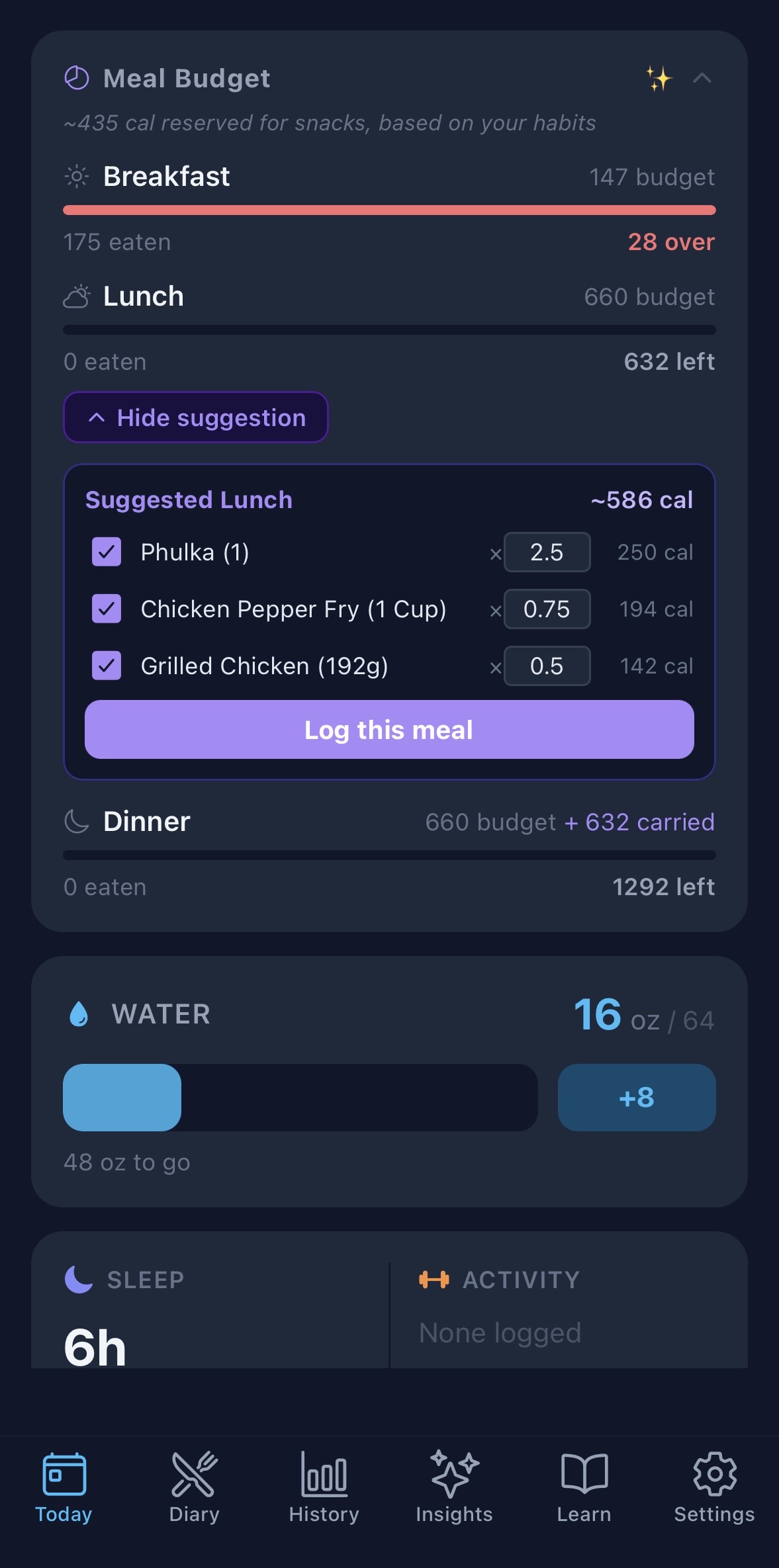
Meal Budget & smart suggestions
Your daily target automatically splits into Breakfast, Lunch, and Dinner budgets, with leftover calories carrying forward — eat light at breakfast and you've got more room at lunch. If you log snacks consistently, BodyLens learns your typical snack calories and reserves that amount up front too.
Suggest a Meal finds the food you eat most consistently for that meal slot, pulls in what you typically pair with it, and scales servings to fit whatever budget you have left — capped at twice your usual amount, so a big deficit doesn't turn one usual bottle of something into ten.
Review the suggestion, uncheck anything you don't want, adjust any portion, and log the whole thing in one tap.
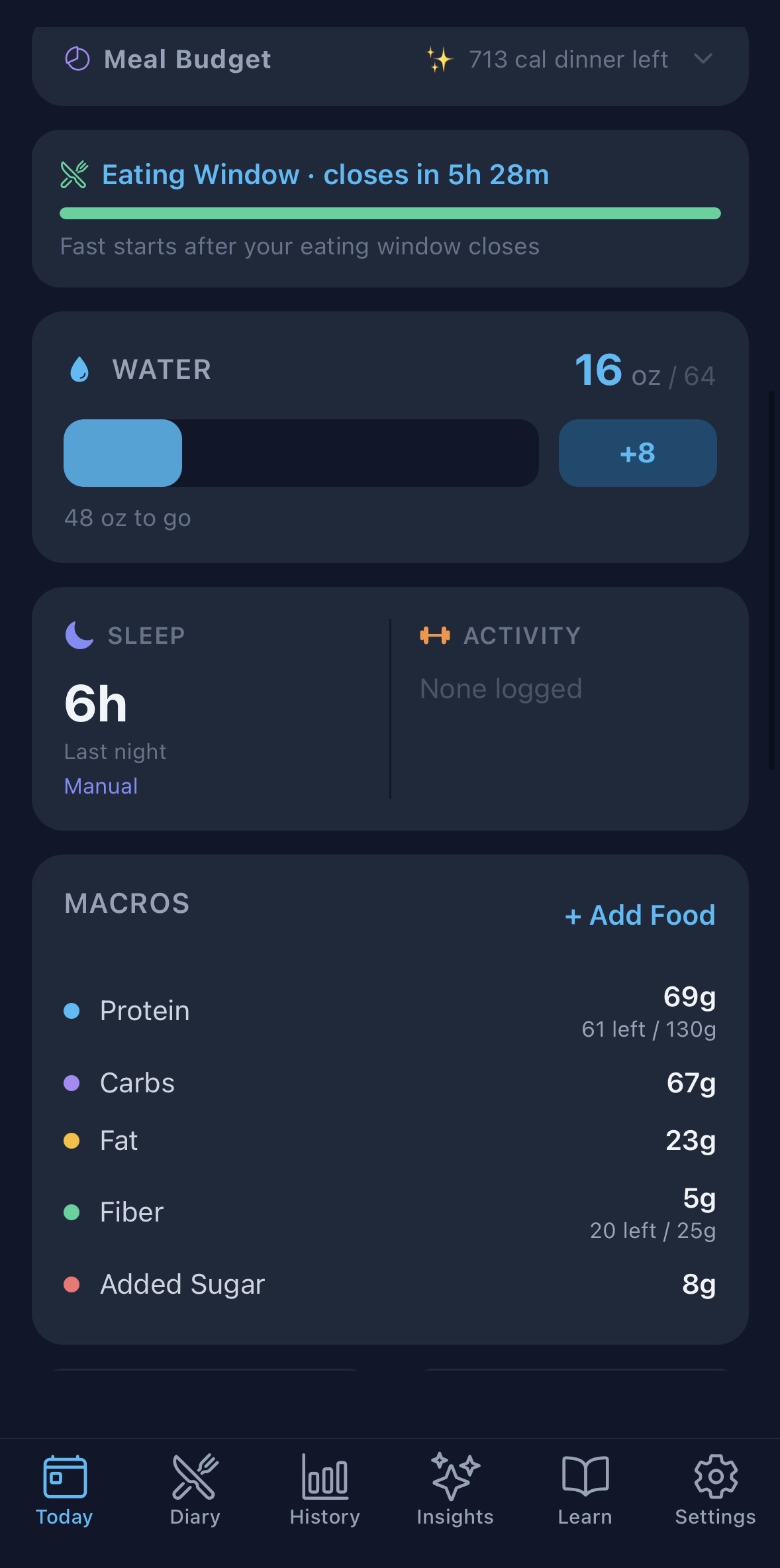
Intermittent fasting, built in
Choose a fasting goal — 12, 14, 16, 18, or 20 hours — and BodyLens tracks it for you right on the Today dashboard. Fixed Schedule mode works purely off the clock from a set eating-window start time; Log-Based mode starts the timer automatically from your last logged meal, for schedules that shift day to day.
A notification lets you know the moment your eating window opens, so you're never left checking the clock yourself.
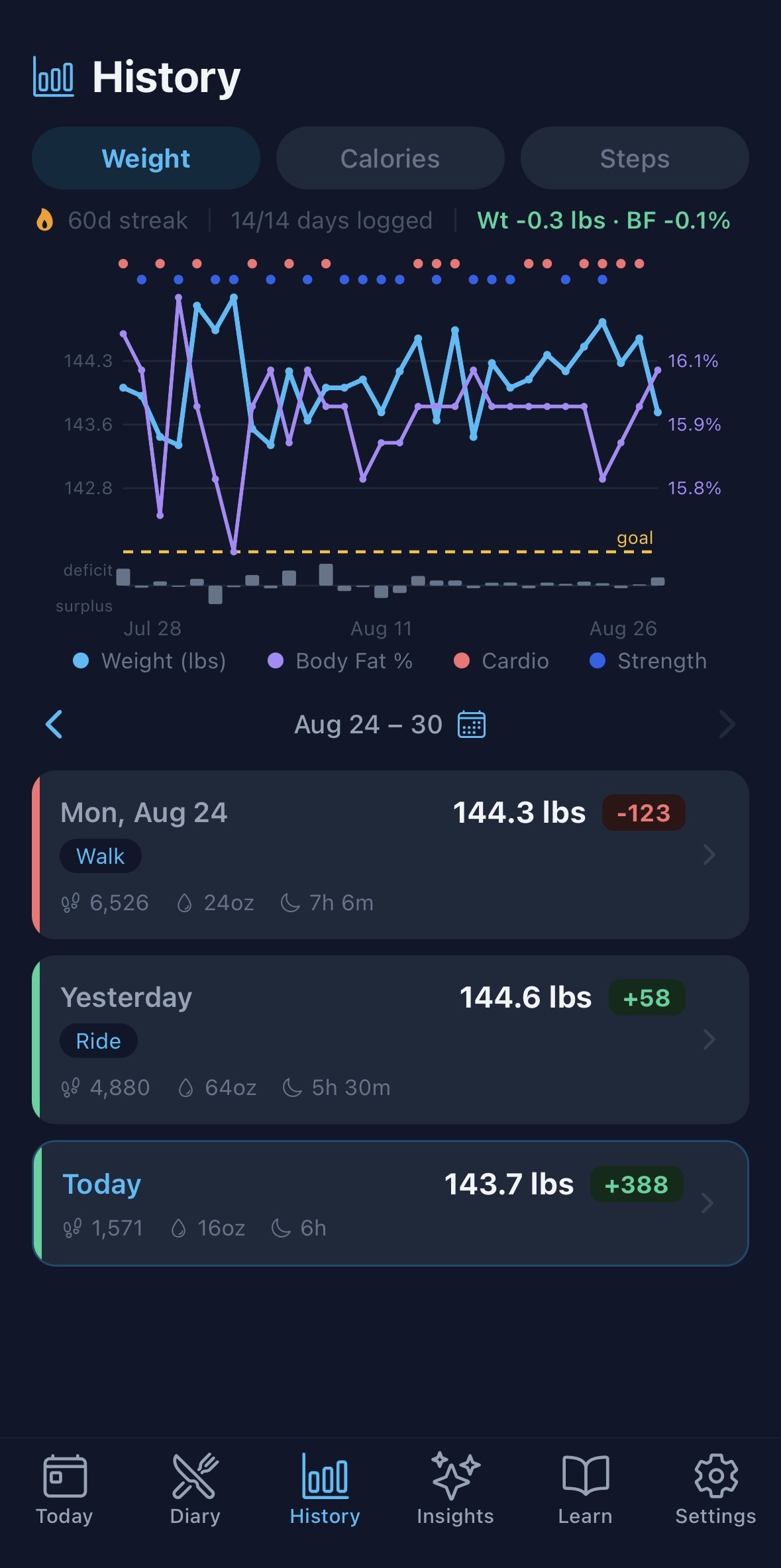
See your whole story on one chart
The History tab's Weight chart overlays your body fat percentage automatically once you've logged any — weight stalling while body fat drops usually means you're building muscle, not spinning your wheels.
It goes further: small dots mark cardio (red) and strength (blue) activity on the days you trained, and a thin strip beneath the line shows your daily calorie deficit or surplus — direction, not color, tells the story, since a surplus isn't "bad" if you're trying to build. Nothing is inferred or diagnosed for you; it's just everything laid out on one timeline so you can see your own patterns.
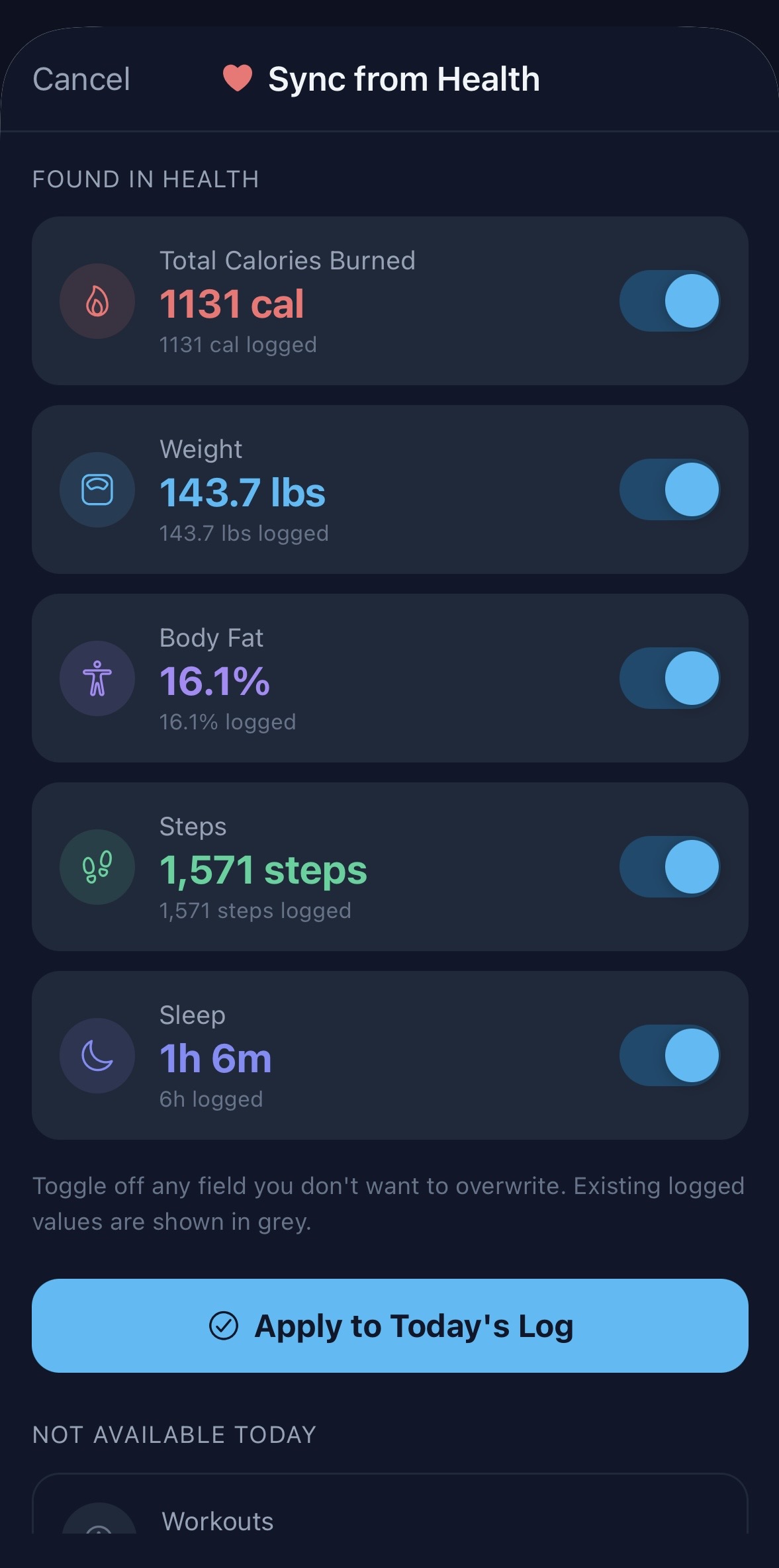
Your wearable data, automatically
Connect Apple Health (iOS) or Health Connect (Android) once, and steps, calories burned, sleep, weight, body fat, and workouts flow in automatically — no manual entry. It works with virtually any wearable that syncs through those platforms, including Garmin, Fitbit, Whoop, Oura Ring, and Polar, through each device's own companion app.
On Android, for the most accurate numbers, we recommend connecting just one fitness app to Health Connect — when multiple apps report different totals for the same day, BodyLens does its best to reconcile them, but one clear source is always more reliable than picking between several.
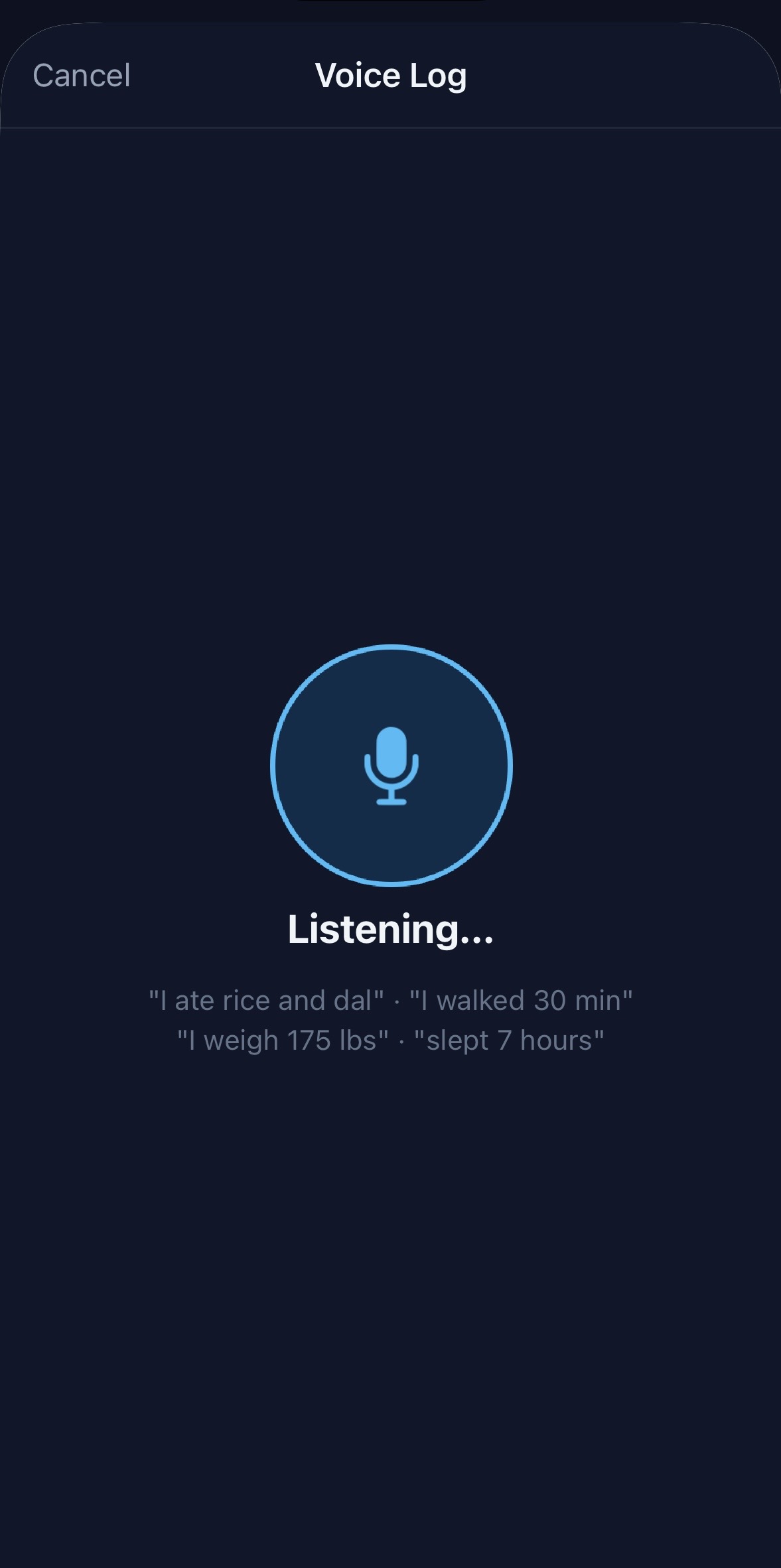
Log by talking, not typing
Tap the mic and speak naturally — "I ate a banana and some oats," "I weigh 175 pounds," "walked 30 minutes," "slept seven and a half hours," or "two glasses of water." BodyLens parses food, weight, water, sleep, steps, and activity from natural speech in one shot, no rigid phrasing required.
Speech is transcribed on your device — nothing is recorded or sent to a server.
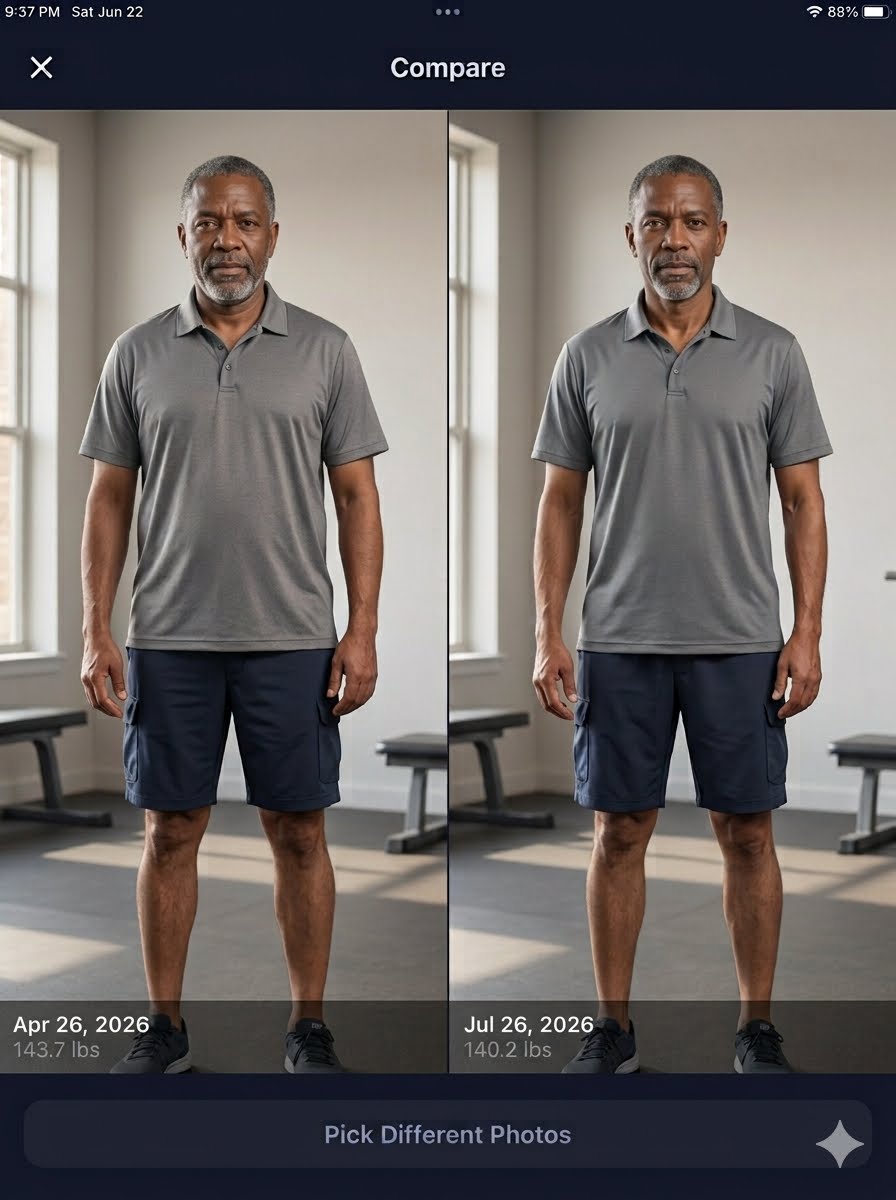
The photo above is an AI-generated illustration, not a real user.
Progress Photos
Photos are stored privately on your device only — never uploaded to the cloud. Side-by-side comparison over time often shows physical changes the scale alone misses, especially when your weight is holding steady but your body composition is genuinely shifting.
Weekly AI insights
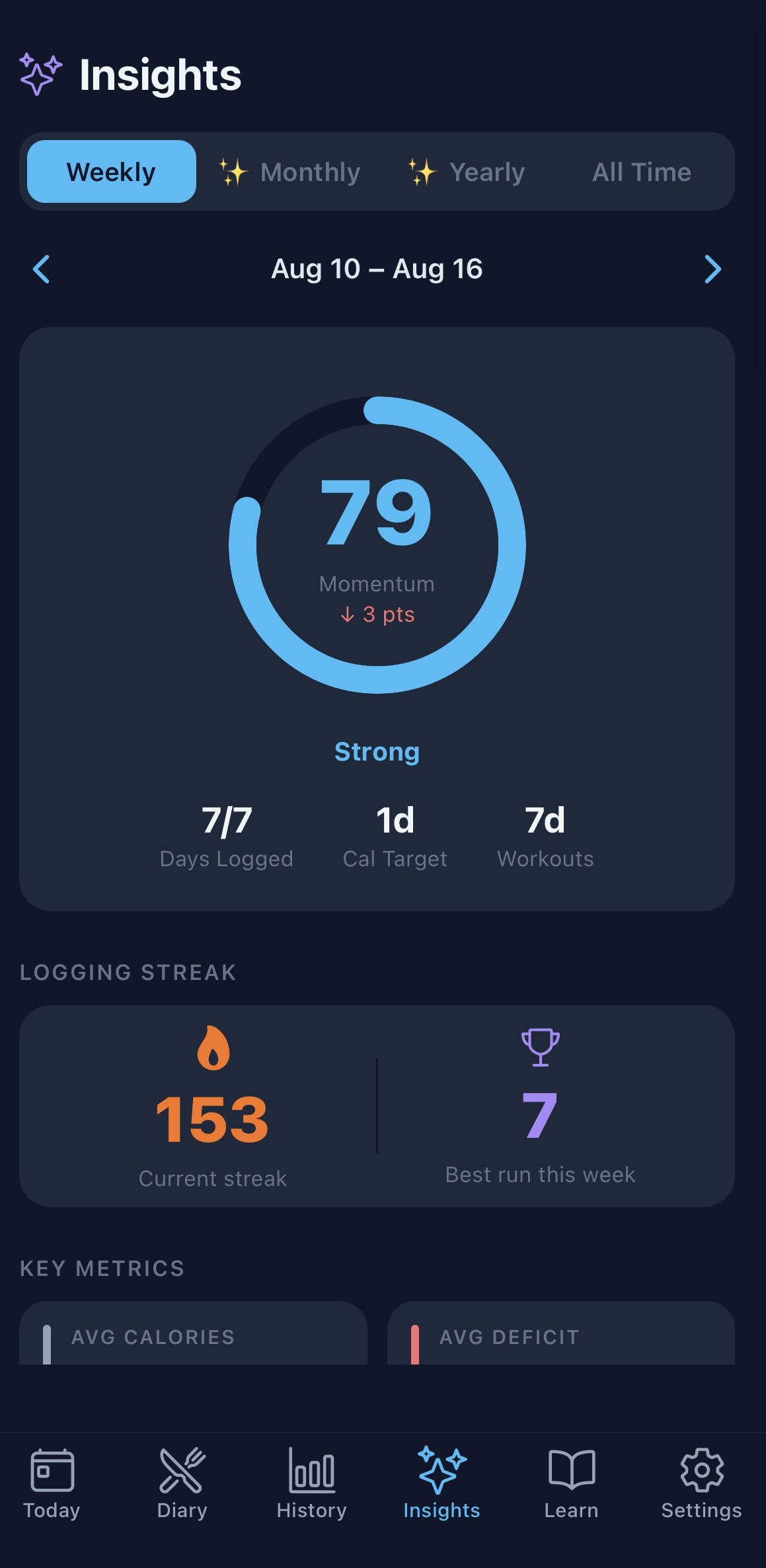
Every week, an AI coach reviews your logs and writes a plain-language narrative — what's working, what to adjust, and trends worth watching — instead of leaving you to interpret a wall of charts yourself. A Momentum score (0–100) reflects your consistency: logging frequency, hitting targets, and workout days.